Your claim preparation, connected

Your records.
Your experience.
A clearer next step.

Bring your research, statements and questions together in My Preparation. Explore symptoms, review your own words, and keep the details you need for the next conversation.

Free. For veterans preparing on their own or working with a representative.

More help at each step. AI statement feedback Symptom research Functional impact examples Appointment questions

Explore your tools

What do you need
to work on today?

Choose a tool to see how it helps. Each one belongs with the condition and claim you are preparing.

Symptom research

Find the words.
Follow the source.

Explore symptoms described in Board decisions, medical sources and this site's condition guides where available. Mark what fits your experience, or mark what you are not sure about.

Illustrative example, not a live account

Heartburn (pyrosis)

Learn the term. Read the context.

Difficulty swallowing (dysphagia)

Keep a note about your own experience.

Your saved selection

"Not sure" can become a question to bring.

Illustrative GERD entries, not a diagnosis or a checklist of symptoms to report. Counts describe how often a symptom is mentioned in the published decisions. Source coverage varies by condition.

AI statement review

Keep your account.
Fill in the picture.

Get questions about five parts of a daily-life statement: how often, how long, activities interrupted, help or changes, and a specific example. The feedback stays beside your statement while you edit it.

Illustrative example, not a live account

"My symptoms make it difficult to finish a meal."
One specific exampleA question to consider

Can you describe one time this happened and what you were doing?

Your words stay yours.

You decide what to add and edit the statement yourself.

Fictional draft and illustrative feedback. A review runs only when you press it, and sends your selected statement and the condition's name to Anthropic, the AI service RateMyVSO uses. Read the tool's notice first.

Condition-specific library

What does this
make harder to do?

Read functional impact examples beside your statement review. Use them to think about activities, routines and help you need, then describe only what is true for you.

Illustrative example, not a live account

Daily activities

What becomes harder, slower or interrupted?

Changes and help

What do you do differently? Does anyone help?

A real moment

What happened on one particular occasion?

These are reflection prompts. The Functional Impact Library has condition-specific examples. They are not facts to copy into a claim.

Connected appeals research

Read another case
with better context.

Open analogous decisions research for your condition, compare what evidence the Board discussed, and keep relevant reference decisions with your notes in your preparation.

Illustrative example, not a live account

The facts

Which condition and issue did the Board address?

The evidence

What records or statements mattered in that case?

The differences

What makes that veteran's circumstances different?

Illustrative reading guide, not a quoted decision. Other Board decisions are research references, not a prediction of your outcome.

Your saved record findings

Know where
the detail came from.

Review the findings you saved with their original wording and where they were read. See them together with your saved statements and the condition brief.

Illustrative example, not a live account

Saved finding, GERD

"Patient reports reflux after evening meals."

Source

Fictional clinic note, page 2

Keep your note separate

"Ask about the evening symptoms at my next visit."

Fictional record example. This view organizes findings you saved; it does not read or analyze your medical records for you.

Questions and a printable sheet

Take your questions
into the room.

Save appointment questions from your research or statement review. Choose questions, symptom notes, statements, findings and record requests for a printable appointment sheet.

Illustrative example, not a live account

Questions to bring

"What should I track about symptoms after meals?"

Relevant records

Saved clinic finding and my symptom note.

Choose your sheet

Include the conditions and saved items you want to discuss.

Fictional appointment example. Saving a question does not send it to a clinician or change your statement.
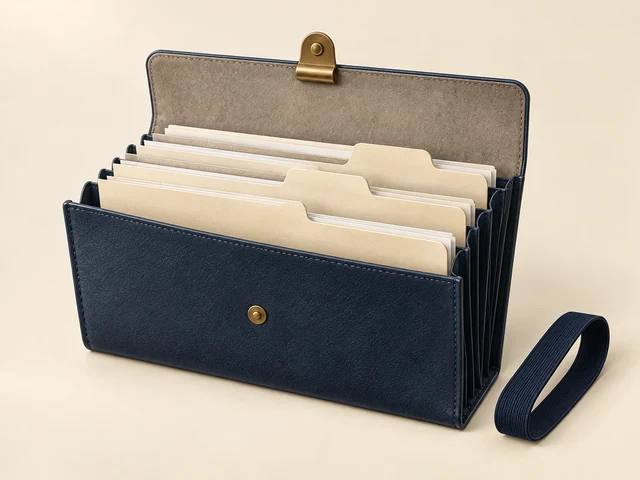
Built around My Preparation

Useful tools.
One connected preparation.

The newer research and review tools sit alongside the work you could already save. Your statement, a finding from your records, and a question for your doctor each have a place.

  1. 01

    Choose your claim

    Keep conditions, ratings, checklists and important dates with the claim they belong to.

  2. 02

    Gather the details

    Save record findings with their original wording and source pages, statement drafts, reference decisions and record requests.

  3. 03

    Work through the gaps

    Use symptom research, functional impact examples and statement feedback to decide what you want to explore.

  4. 04

    Choose what to bring

    Select saved material for your take-away copy, or build an appointment sheet with questions and relevant records.

Your existing preparation stays at the center. Saved work, checklists, important dates, personal and buddy statements, and the take-away copy you select.

Know what you are reading

Research you can
put in context.

A symptom mentioned in a Board decision, a medical description, and your own experience are different things. The tools keep those sources apart.

Explore analogous decisions
01 / Board decisions

See what the record says.

Explore symptoms mentioned in decisions and how evidence was discussed in other cases. Counts describe the published record; they do not predict your result.

02 / Medical and guide sources

Understand the language.

Read medical descriptions and guide passages where available. Follow the source when you want more context.

03 / Your own words

Describe what fits your life.

Use examples and questions to reflect on your experience. You decide what belongs in your statement.

A few things to know

Before you start.

Does AI write or change my statement?

No. Statement review gives feedback on the draft you choose to review. It looks at how often, how long, interrupted activities, help or changes, and a specific example. You edit your own words; the review does not change the statement for you.

What is shared when I request an AI review?

Pressing Review sends the selected statement's text and the condition's name, one time, to Anthropic, the AI service RateMyVSO uses. Nothing is sent until you press it. Read the notice in the tool before you continue.

Does the review stay with me while I edit?

Yes. When you open the statement to edit it, the review stays beside it: on a phone, in a panel right above the writing box. It is kept only in this browser tab, until you sign out or close the tab, and it is not saved to your account. Typing or saving never sends anything again; only pressing Review again does.

Do I have to use every tool?

No. Start with the part you need: research a condition, organize a finding, review a saved statement, or collect questions for an appointment.

Can another veteran's decision tell me how my claim will turn out?

No. Compare the facts, the evidence and the differences. A Board decision in another veteran's case does not decide yours or promise the same result.

Your next step

Bring the pieces together.

Open My Preparation. Choose your claim.
Start with the part you need today.

Open My Preparation